Presentation Tool: Designing and Improving Multi-Mode Content Creation in Picsart
Designed and improved a presentation creation and sharing experience, addressing low adoption through enhanced content creation, missing features, and multi-mode consumption.
Overview
As part of expanding Picsart's product capabilities, I worked on designing and improving a presentation creation and sharing experience.
Beyond initial feature design, the work also focused on understanding low adoption and identifying what prevents users from successfully creating and using presentations.
Problem
After launch, the presentation tool showed low usage and engagement.
Through analysis and exploration, we identified several challenges:
- •Creating presentation content felt difficult and time-consuming
- •Existing elements and templates were not enough to support users
- •The editor lacked key features expected from presentation tools
- •The product did not clearly compete with tools like Canva or PowerPoint
👉 The problem was not just usability — it was a combination of content limitations, missing features, and unclear value
Role
Product & UX Designer
- •Worked on editor experience and feature design
- •Conducted competitor analysis
- •Identified product gaps and improvement opportunities
- •Collaborated with content and cross-functional teams
Approach
The work focused on two parallel directions:
1. Understanding the problem
- •Analyzed why users were not adopting the presentation tool
- •Identified friction in content creation
- •Evaluated missing functionality
2. Improving the product
- •Enhanced the editor experience
- •Introduced new features
- •Collaborated with content team to improve available assets
Key Insights
- →Users struggled to create high-quality content with existing elements
- →Content availability is critical for creative tools adoption
- →Users expect presentation tools to support both creation and delivery
- →Missing "basic" features can significantly reduce perceived product value
Solution
1. Improving Content Creation
Worked with the content team to:
- •Improve available templates and elements
- •Make it easier to start and build presentations
- •Reduce effort required to create quality content
2. Enhancing the Editor
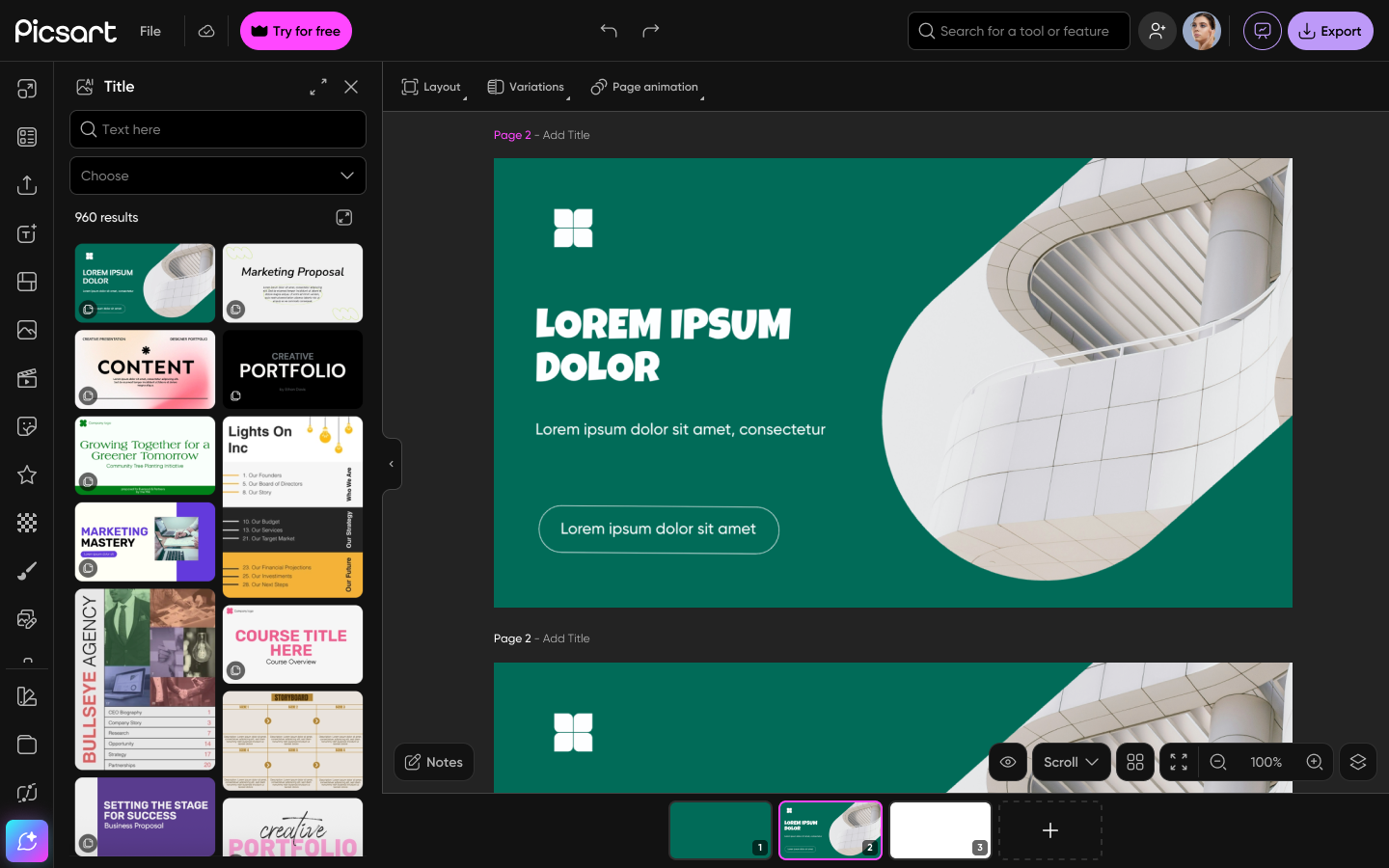
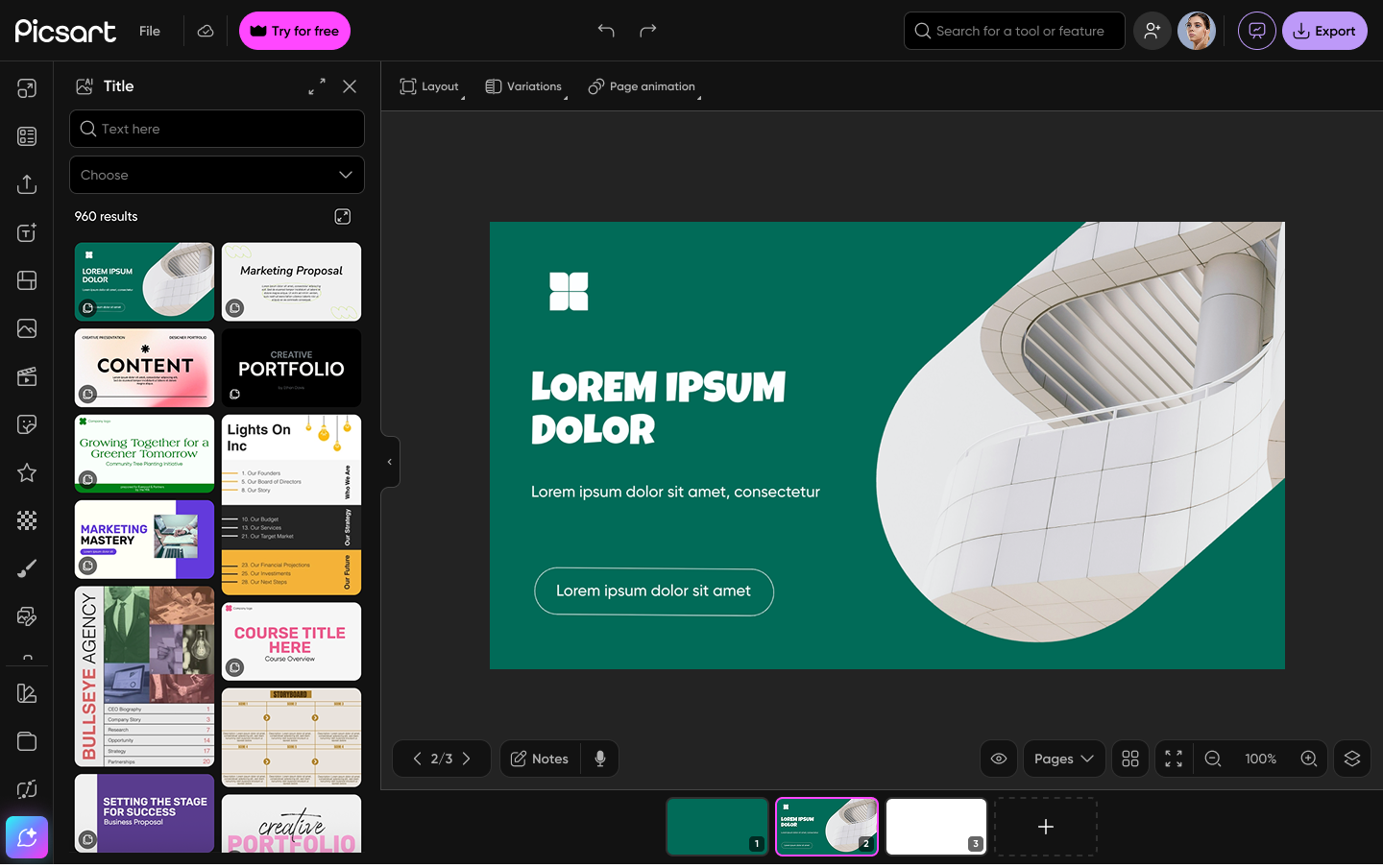
Worked on improving the main presentation editor experience, focusing on usability and structure.
3. Adding Missing Features
Based on competitor analysis and product gaps, we introduced key features:
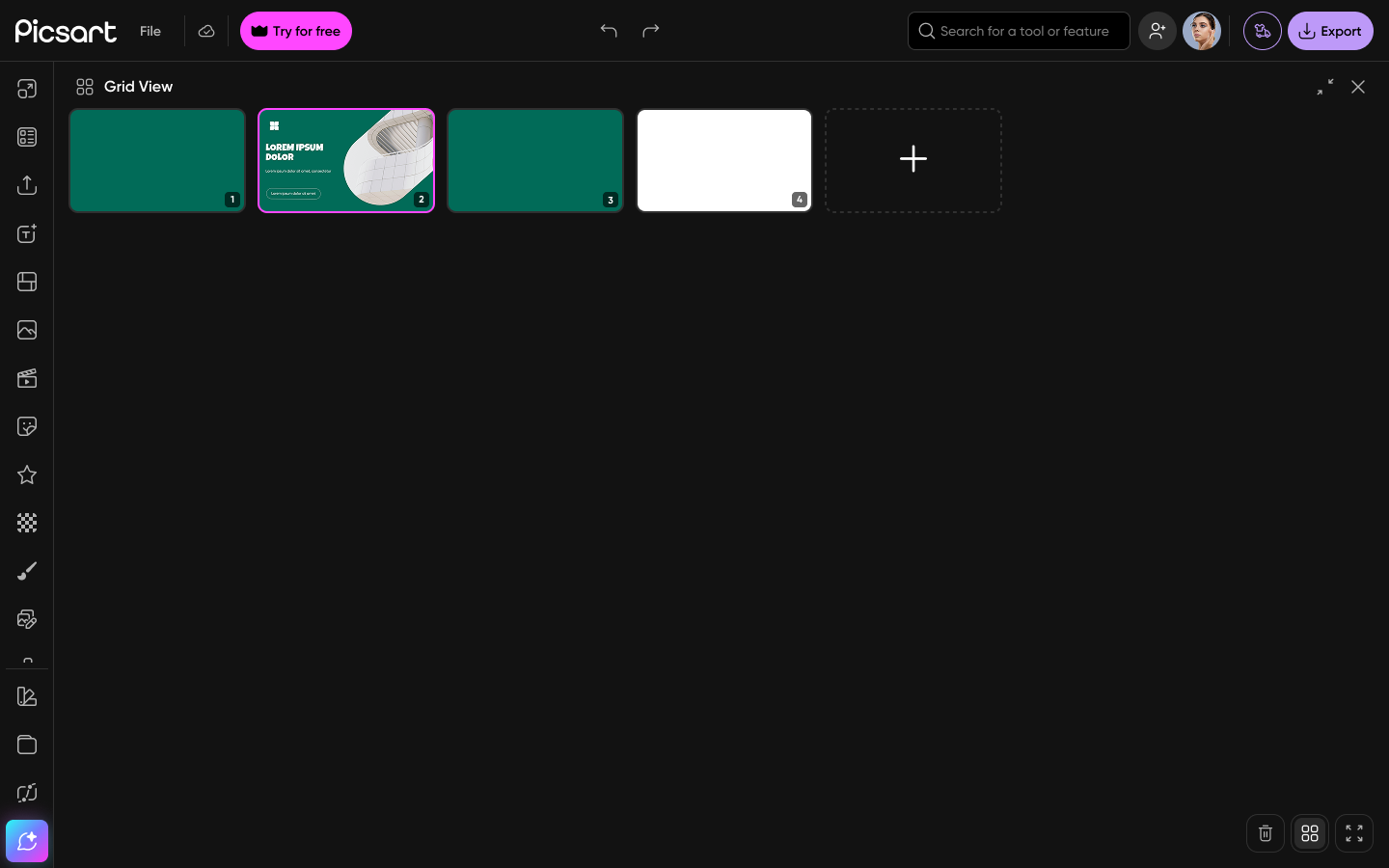
- •Grid View → easier slide management and navigation
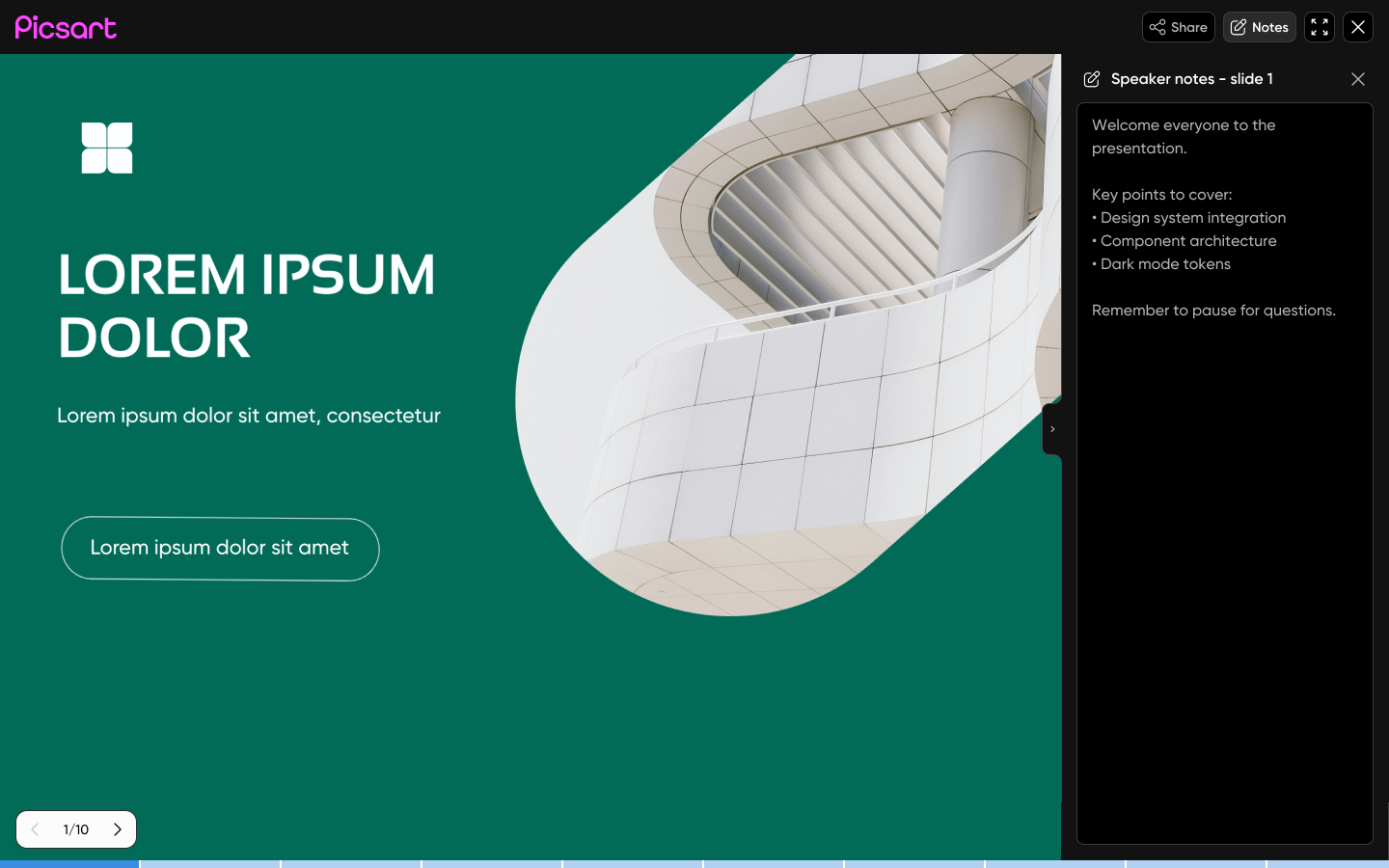
- •Notes → support for presentation context and speaker guidance
- •Commenting → collaboration and feedback
- •Autoplay → automated presentation flow
- •Voice Over → richer presentation experience
👉 These features helped align the tool with user expectations from modern presentation platforms
4. Presentation & Sharing Modes
To support different use cases, I designed a system where a single presentation can be consumed in multiple ways:
Owner Mode
Editing + preview
Designed for creators
Viewer Mode
Linear, slide-based experience
Designed for presentations
Website Mode
Scrollable, non-linear experience
Designed for sharing and exploration
👉 This allows one piece of content to serve multiple scenarios
Design Examples
Impact (Expected / Ongoing)
- ✓Improved clarity of the presentation tool's value
- ✓Reduced friction in content creation
- ✓Increased feature completeness and competitiveness
- ✓Strengthened the product as a multi-purpose creative tool
Key Learnings
- →Content quality is as important as product functionality
- →Missing core features can block adoption entirely
- →Creative tools must balance creation + consumption + sharing
- →Competitor expectations strongly shape user perception