Authentication Experience: Designing Login & Registration for Picsart Windows
Role
Product & UX Designer
Company
Picsart
Year
2025
Platform
Windows Desktop
Overview
As part of my first projects on the Picsart Windows team, I worked on designing the login and registration experience for the desktop application.
The goal was to create a clear, frictionless entry point that supports both new and returning users, while maintaining consistency across platforms (web, mobile, and desktop).
Problem
Authentication is the first interaction users have with the product, and it directly impacts onboarding and retention.
Key challenges:
- •Balancing simplicity with multiple entry options (email, social, etc.)
- •Ensuring clarity across login, registration, and verification flows
- •Reducing friction while maintaining necessary steps
- •Adapting patterns to a desktop environment
- •Maintaining consistency with existing web and mobile experiences
Role
- →Product & UX Designer
- →Defined user flows for login, registration, and verification
- →Created wireframes and final UI
- →Collaborated with product and engineering teams
Approach
The design focused on:
- •Minimizing steps required to enter the product
- •Keeping flows clear and predictable
- •Aligning patterns with existing Picsart experiences across platforms
Special attention was given to:
- •Consistency in layout and interaction patterns
- •Error states and validation feedback
- •Seamless transitions between login and registration
Solution
Designed a complete authentication system including:
- •Login (existing users)
- •Registration (new users)
- •Verification states
- •Error handling and validation
Key decisions:
- •Clear separation between login and sign-up paths
- •Immediate feedback for user actions
- •Desktop-optimized layout and spacing
- •Reuse of familiar patterns from web and mobile to ensure consistency
User Flows
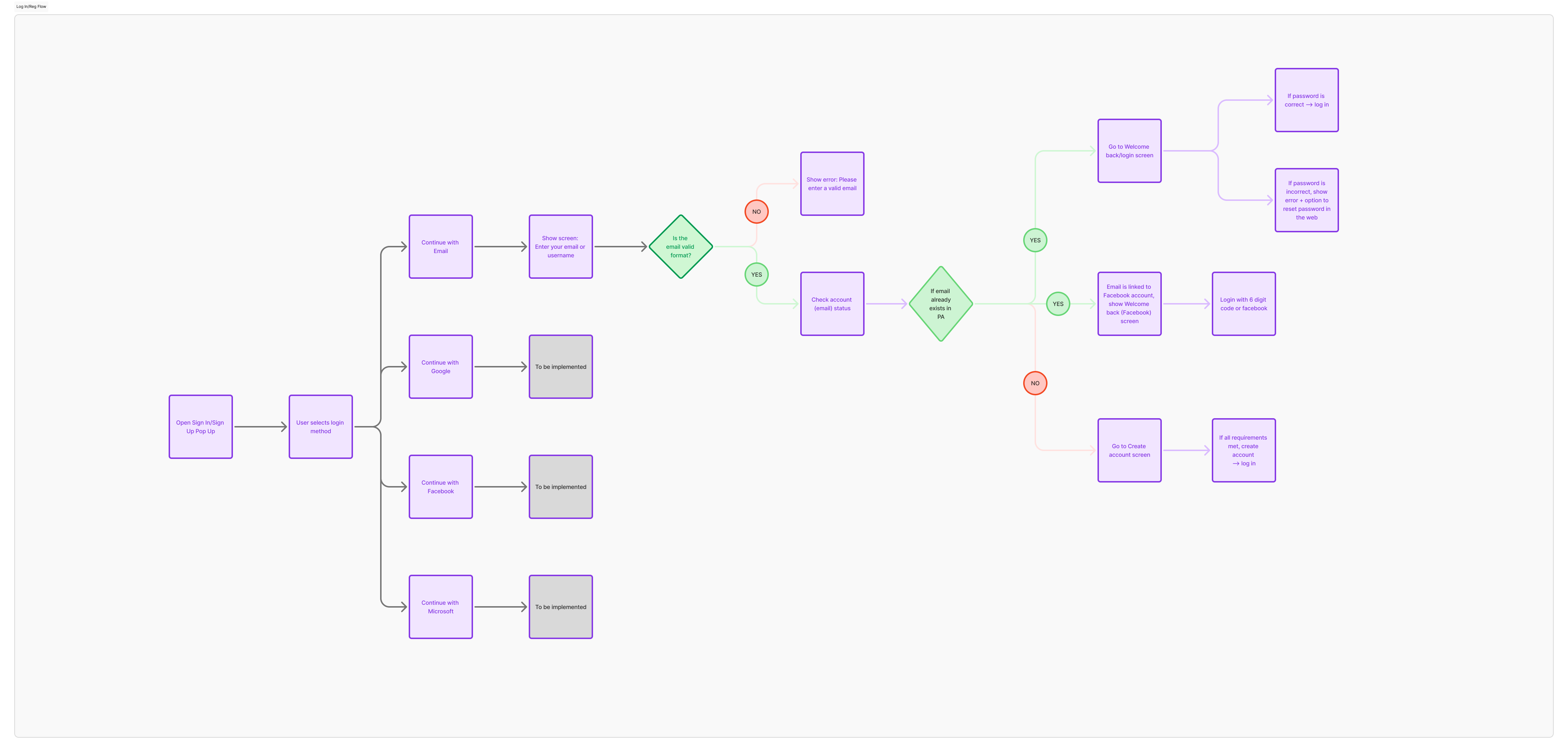
Detailed user flow mapping out all authentication states and transitions
Design
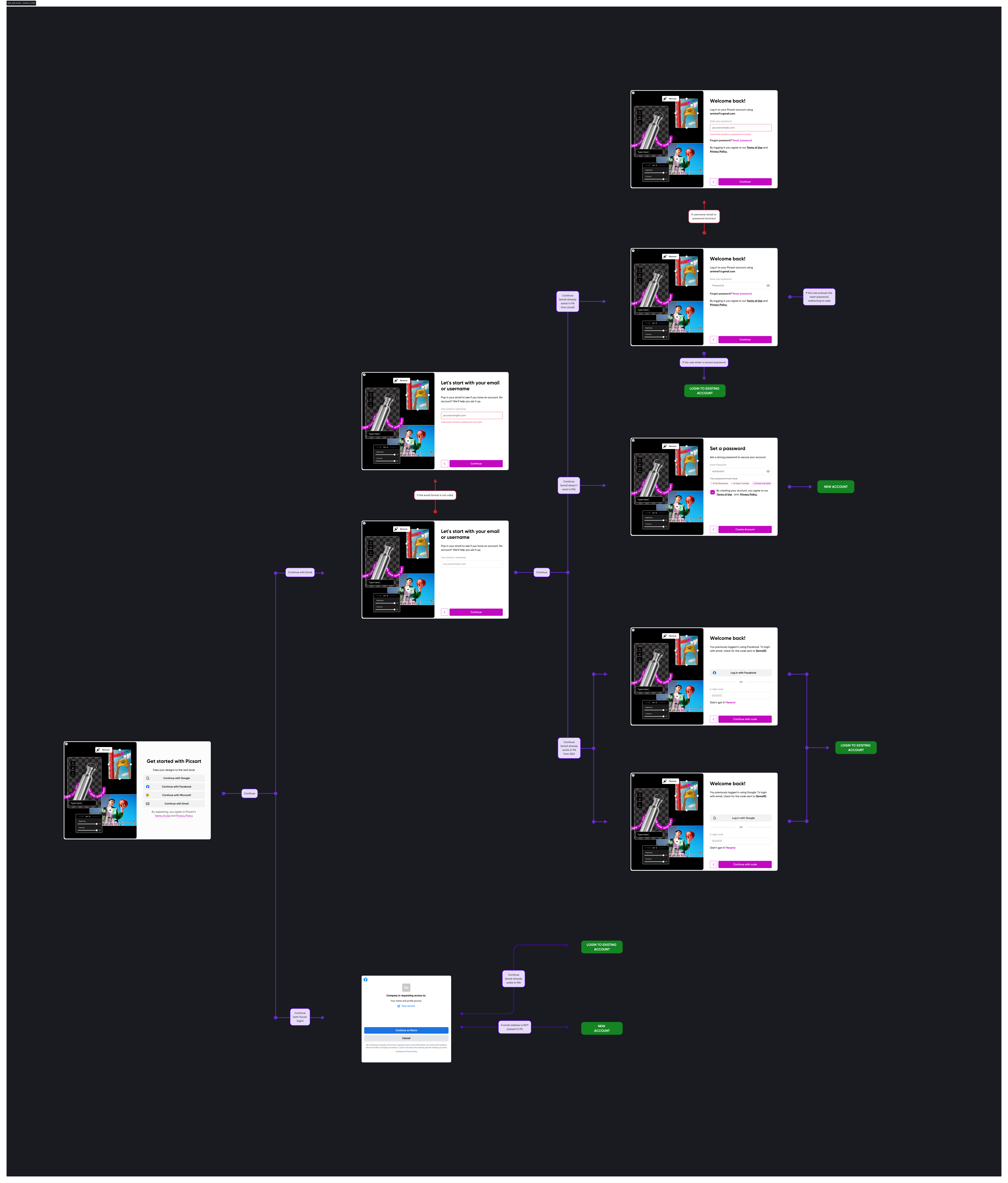
Final design screens showing complete authentication flow
Impact
- ✓Created a clear and consistent entry point across platforms
- ✓Reduced friction in onboarding flow
- ✓Improved clarity across authentication states
- ✓Strengthened overall product consistency
Key Learnings
- →Consistency across platforms builds user trust and reduces learning effort
- →Authentication should feel simple, even when supporting multiple paths
- →Clear feedback and predictable flows are critical for first-time users